Desbloqueador de iPhone Aiseesoft
 100% seguro. Sem anúncios.
100% seguro. Sem anúncios.
Your iPhone has a built-in screen lock that is excellent for security. It seems unnecessary to get a dedicated lock app. However, in certain cases, you do need a third-party iPhone lock screen app to better control your device. For instance, you want to lock your iPhone screen on a certain app, or lock your screen when your child is watching.
Whether you need a dedicated app that locks the iPhone screen for specific apps, a timer on the iPhone lock screen to curb screen time, or a full parental-control suite, you can get the right tool from the three recommendations below.
I spent two weeks testing over 20 of the most popular options against real-world scenarios: limiting social media during work hours, setting a countdown timer on the iPhone lock screen for bedtime, and locking banking apps on a shared device. The following three applications consistently outperformed the rest. You can choose one depending on what exactly you want to lock and why.
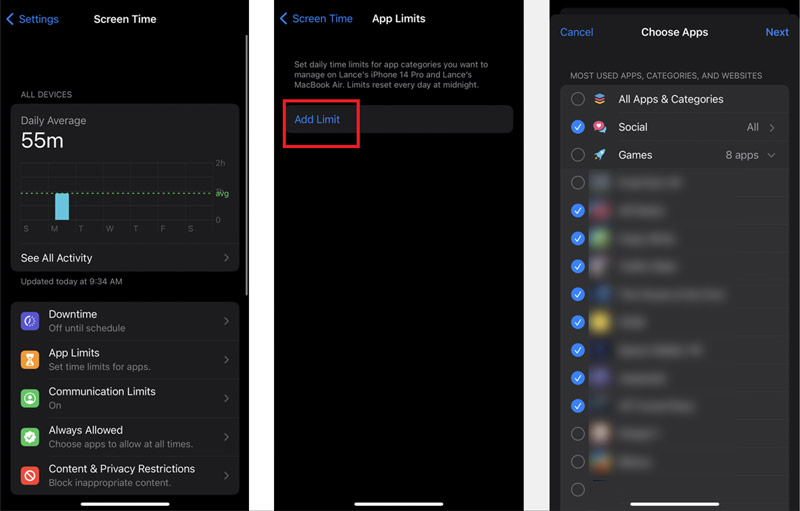
oficial da Apple Tempo de tela is an ideal choice because it is free and pre-installed on your iPhone. It allows you to set various app limits, schedule downtime, and block content based on your needs. It can be the best iPhone lock screen app that works without extra downloads. Before you turn to a third-party iPhone screen lock app, start with it.
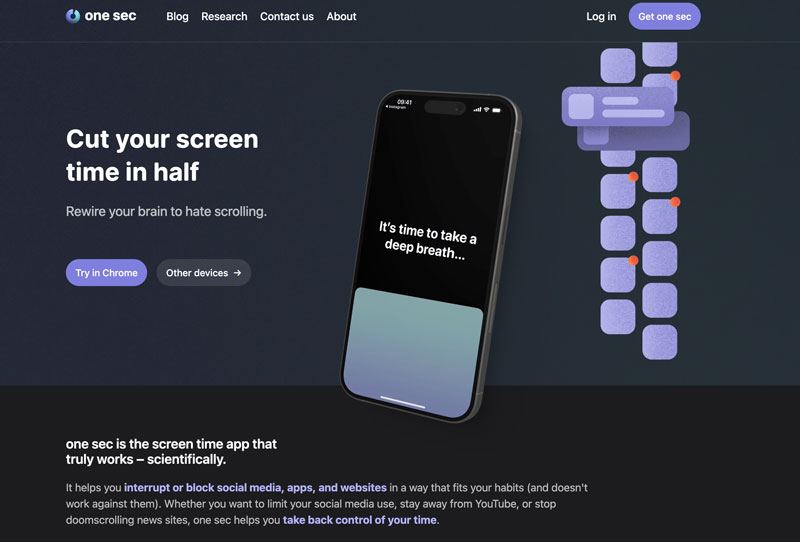
Um segundo is a popular, effective app that can lock your iPhone screen to suit your specific needs. When you tap an app you have selected, One Sec forces a 10‑second breathing exercise before it lets you proceed. It does not lock the iPhone screen entirely. Instead, it locks the app behind a friction layer.
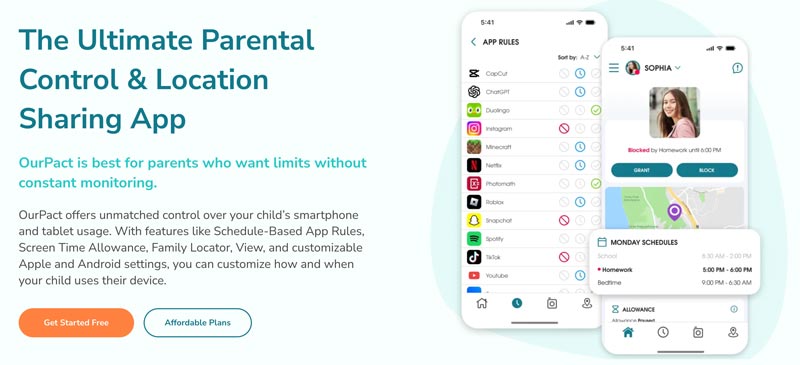
OurPact is a popular, effective app that can lock your iPhone screen to suit your specific needs. When you tap an app you have selected, One Sec forces a 10‑second breathing exercise before it lets you proceed. It does not lock the iPhone screen entirely. Instead, it locks the app behind a friction layer.
If you want to lock the screen immediately when handing the phone to someone, you do not need a dedicated app. The physical side button locks the display. But that does not restrict access after unlock. For a true lock that requires a password to reopen, use Acesso guiado.
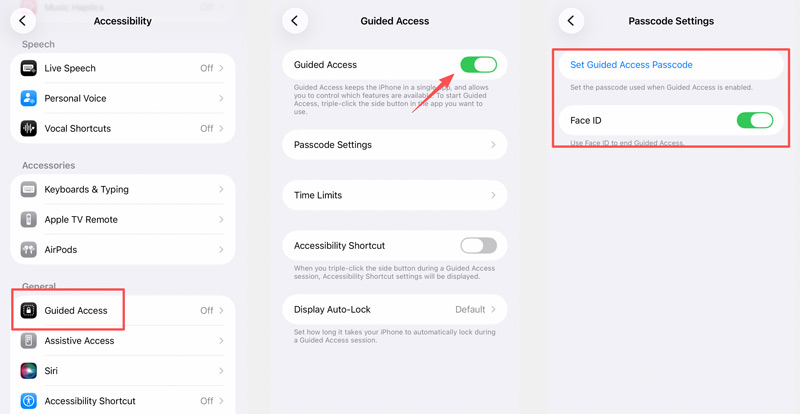
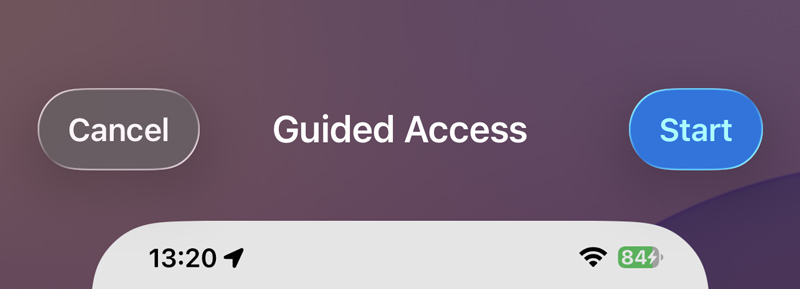
This is the only native way to create an app that locks the iPhone screen to a single application. It is clunky but effective for temporary situations, such as letting a child watch a video or read a book.
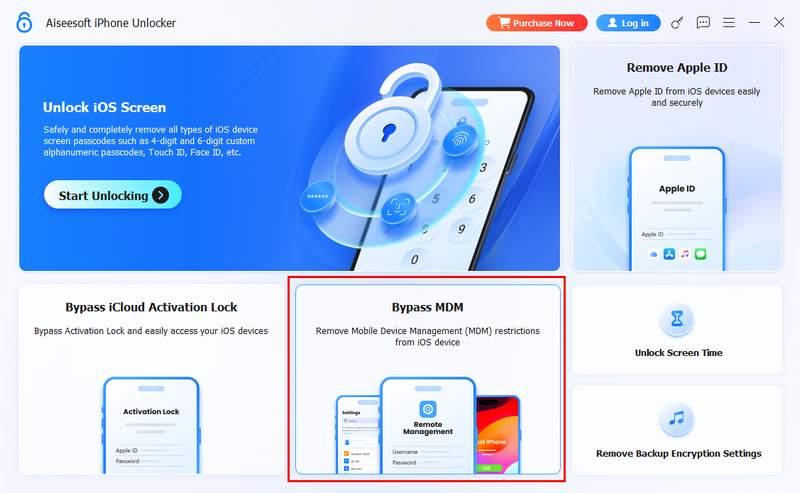
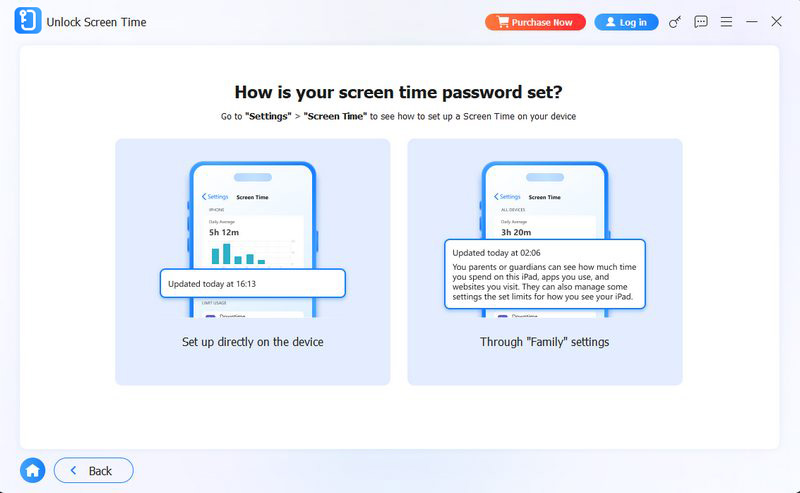
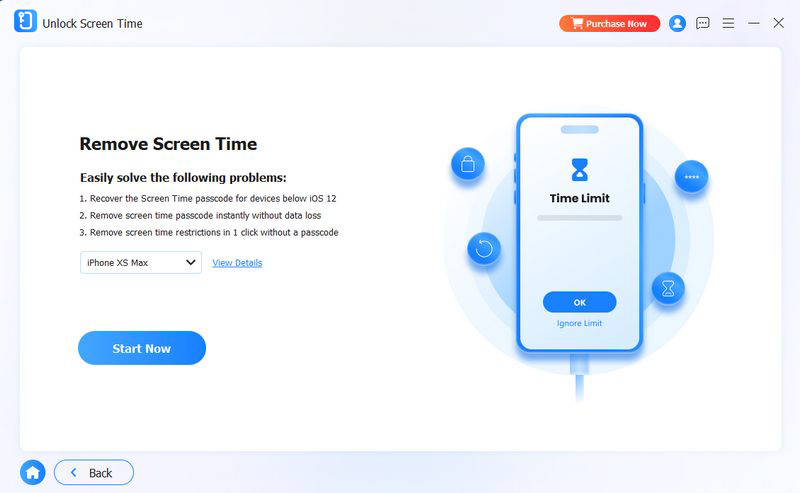
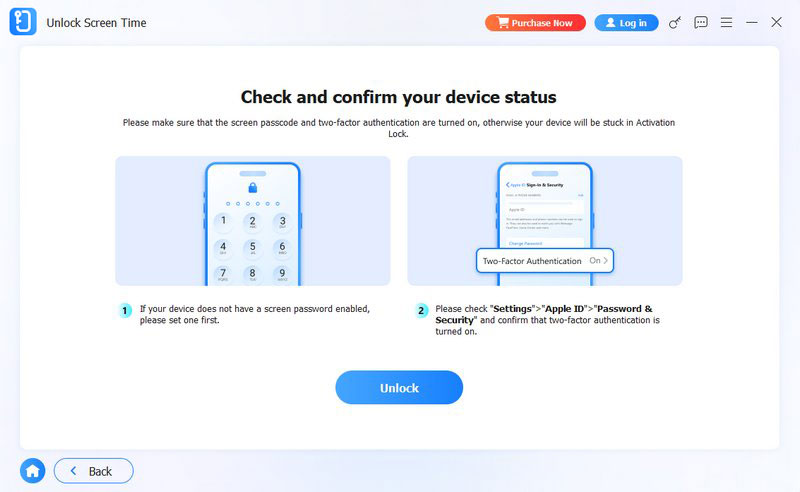
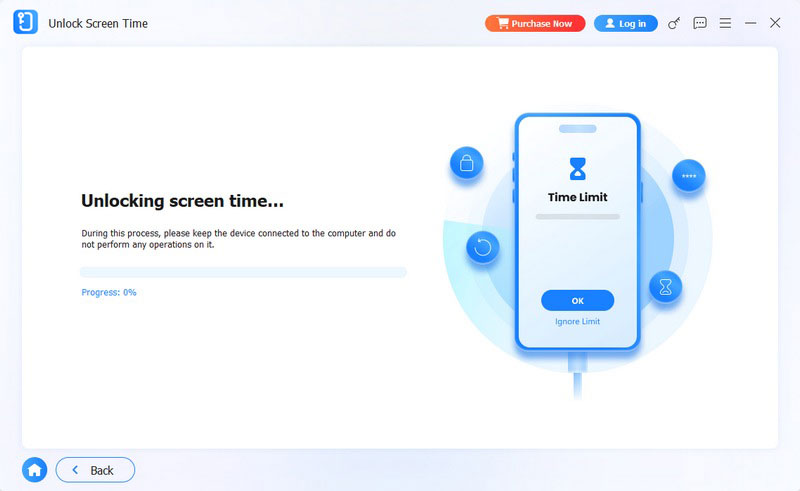
Sooner or later, you will set a Screen Time passcode and then completely forget it. I did exactly that while testing a strict bedtime schedule. The standard recovery method, erasing the device, is drastic. A better solution is Desbloqueador de iPhone Aiseesoft.
100% seguro. Sem anúncios.
100% seguro. Sem anúncios.
Can I lock my iPhone screen on an app?
Yes, you can. As mentioned, iPhone has a built‑in feature called Guided Access that lets you lock your screen to a single app. You can locate it through Settings > Accessibility. Follow the guide above to open the app you want to lock onto and trigger the lock.
What is the best screen lock app for iPhone?
You should select the best screen lock app based on your specific needs. Generally, for most Apple users, the best one is built into the device. You can start with the native App Lock feature. Because Apple restricts what third‑party apps can do in iOS, most so‑called app lockers are simply shortcuts. They cannot truly lock an app at the system level.
How to make my iPhone screen untouchable for kids?
To quickly disable touch on your iPhone screen for a child, you can use the built‑in feature called Guided Access. It lets you lock your phone to a single app. Once enabled, your iPhone screen will be untouchable. That way, your child can only watch or interact with what you allow.
Conclusão
This post gives you three recommendations for aplicativos da tela de bloqueio do iPhone. You can compare them and select the one that best fits your needs. We have to admit that the lock screen app landscape is richer than most users realize. You can find many related apps on your iPhone’s App Store.
If you only need a bedtime countdown timer on the iPhone lock screen, Screen Time’s downtime feature is adequate. To better manage your child’s device, OurPact is an ideal choice. If you ever find yourself locked out of your own restrictions, you now know exactly how to get back in using Aiseesoft without wiping everything.
 Novidade no iOS 10: conheça a tela de bloqueio/desbloqueio reformulada
O iOS 10 permitirá que você interaja com seu iPhone ou iPad bloqueado sem usar o Touch ID ou senha para desbloquear a tela.
 Como remover a senha da tela de bloqueio do iPhone (compatível com iOS 26)
Esqueceu a senha do seu iPhone? Aprenda 5 maneiras de remover o bloqueio de tela do iPhone, incluindo o impacto da Proteção contra Roubo de Dispositivo no iOS 26.4, a exclusão de dados do iCloud e muito mais.
 Como alterar a senha da tela de bloqueio do iPhone
Onde alterar a senha da tela de bloqueio no iPhone? Este post mostra 2 maneiras fáceis de ajudá-lo a alterar a senha da tela de bloqueio do iPhone com ou sem a senha de visualização.
Para corrigir o bloqueio da tela do iPhone, a função de limpeza de senha pode ajudá-lo muito. E você também pode limpar facilmente a senha do Apple ID ou do Screen Time.
100% seguro. Sem anúncios.
100% seguro. Sem anúncios.

*Campo obrigatório
*Por favor, insira um e-mail válido