Desbloqueador Android Aiseesoft
 100% seguro. Sem anúncios.
100% seguro. Sem anúncios.
Here's the short answer: on a phone running Android 7 or newer, no. The emergency call and camera tricks you see in old tutorials were real exploits back in the Android 5.0-6.0 era, but Google and the phone makers closed those holes years ago. If you're locked out of a modern device today, pasting asterisks into the dialer won't get you anywhere. This guide explains what those legacy tricks actually were, why they stopped working, and - more importantly - the realistic ways to get back into your Android phone today.
Back in the Android 5.0-6.0 days, a bug in some builds let people crash the lock screen through the emergency dialer. The idea was simple: type a long string in the emergency call field, copy it, then paste it into the Settings password field until the lock screen crashes and drops you onto the home screen. It was a real, documented exploit - but Google and most manufacturers closed it well before Android 7 shipped.
This method only ever applied to:
Treat the steps below as history, not as a fix for your phone:
Destaque a sequência com um toque duplo e copie-a.
Usar a câmera para ultrapassar a tela de bloqueio do Android é uma tática que pode explorar certas vulnerabilidades em versões e modelos mais antigos do Android. Essa abordagem é eficaz quando o aplicativo da câmera ou funções específicas são acessadas diretamente da tela de bloqueio. No entanto, é crucial reconhecer que esta técnica pode não ter sucesso em dispositivos mais recentes devido a protocolos de segurança aprimorados. A seguir estão as etapas sobre como ignorar a tela de bloqueio de padrão do Android usando a câmera.
Essa técnica geralmente tem sucesso no seguinte:
• Modelos Android mais antigos (variando do Android 4.4 ao Android 6.0)
• Dispositivos que permitem acesso direto ao aplicativo da câmera na tela de bloqueio
• Dispositivos sem atualizações de segurança atuais
On any modern device, these steps end at the camera app - which is exactly what Google intended. If you're locked out of a current phone, don't waste time on this; go to Part 3.
Forget the old exploits - these are the three methods that actually work on modern Android, ordered from least to most disruptive:
Aiseesoft Anock – Desbloqueador de Android is the realistic choice for a modern phone. It doesn't rely on patched bugs or ancient Android versions. Instead, it removes the lock screen directly from the device, which means it works across current Android releases and brands - and it does so without erasing your photos, messages or apps. Whether you forgot a PIN, a pattern, a password or a fingerprint, the process is the same and you don't need any technical skills.

122,570 Downloads
Aiseesoft Anock – Desbloqueador de Android
100% seguro. Sem anúncios.
100% seguro. Sem anúncios.
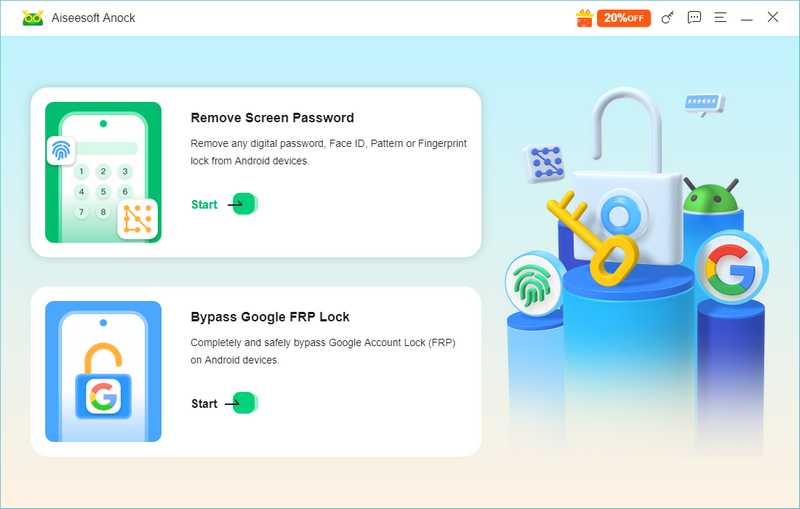
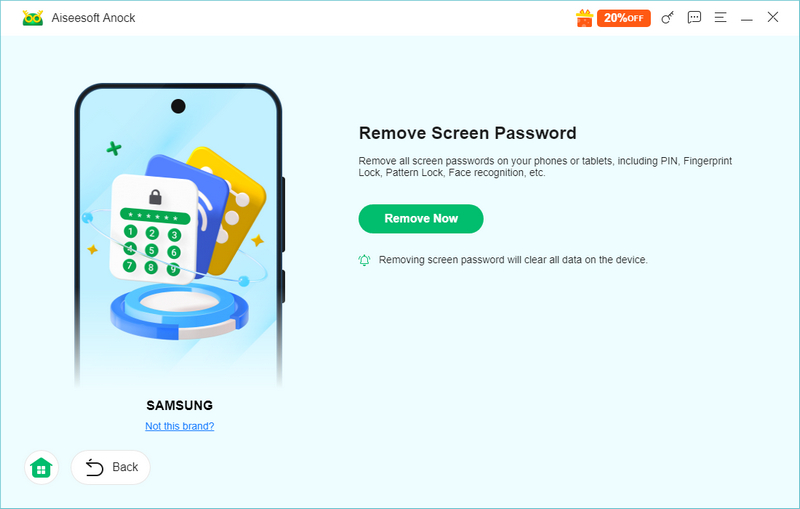
Mais uma coisa: because this method removes the lock cleanly, it also skips the FRP headache that comes with a factory reset. And if you've already reset the phone and are stuck at Google verification, the same tool can help you get past the FRP lockdemasiado.
If your Android phone is linked to your Google account and meets Google's requirements for remote actions, Google Find Hub may let you erase it remotely. However, it will not unlock your phone while preserving its local data.
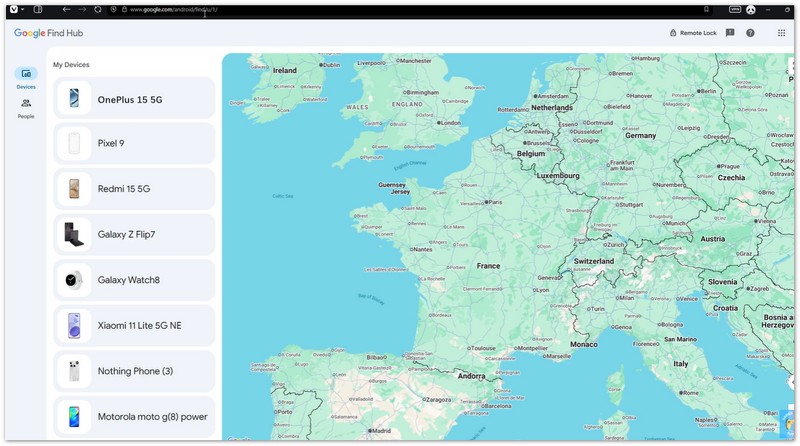
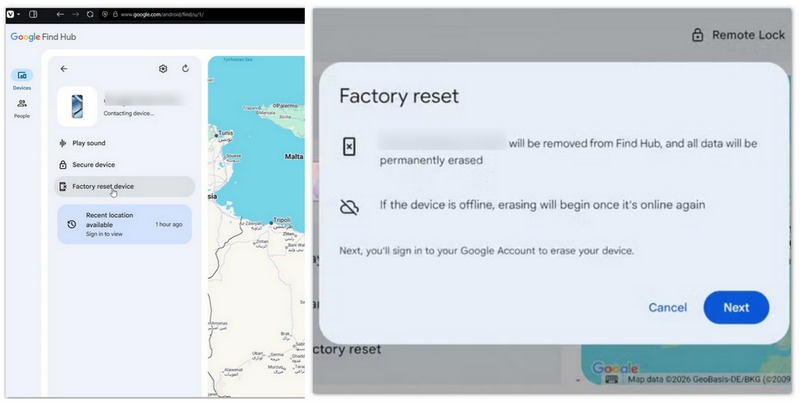
Observação: This method fails quietly if the phone is off or offline - Find Hub can't reach it. In that case, use Method 1 or Method 3.
A factory reset always works, but it's the nuclear option: it erases all your data and re-triggers Factory Reset Protection (FRP). Only use it if the other methods fail and you own the device.
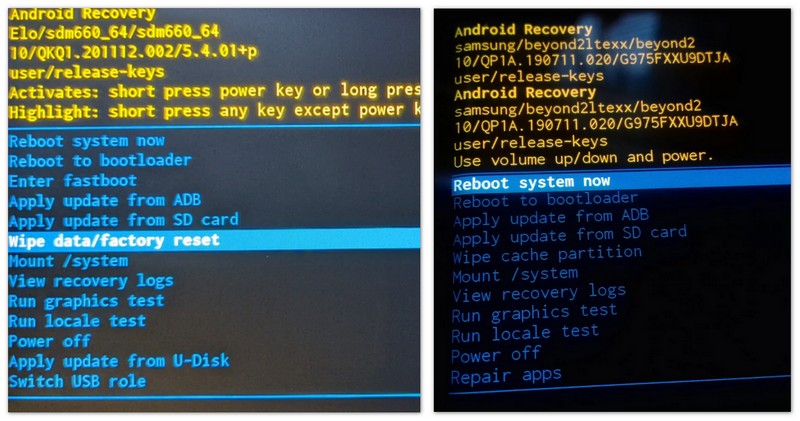
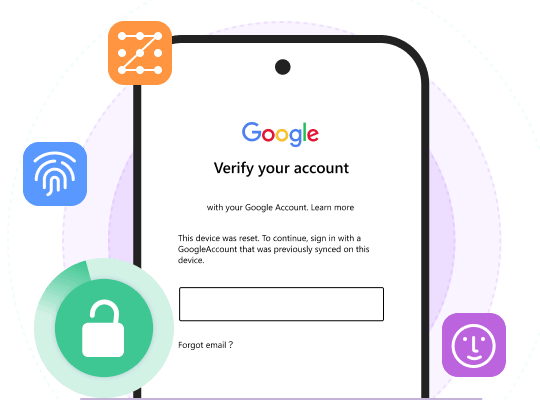
Observação: After the reset, Android's Factory Reset Protection asks for the Google account that was previously on the phone. Without those credentials, the phone stays stuck on the "Verify your account" screen, so check your account details before you reset.
Why didn't the emergency call or camera trick work on my Android phone?
Those exploits were closed by security patches. Google fixed the underlying lock screen vulnerabilities around Android 7, and manufacturers have shipped fixes since. On a modern device, pasting text into the emergency dialer or opening Settings from the lock screen camera simply does nothing - the lock screen can't be crashed anymore. Use a proper unlock tool or a recovery-mode reset instead.
Can I open the camera on the lock screen without entering a passcode?
Yes - that's a built-in feature on modern Android. Swipe up or tap the camera icon on the lock screen and you can take photos without unlocking. But that's all you get: the camera shortcut doesn't let you open other apps, Settings, or your files. It's a shortcut, not a bypass.
What does the emergency call button do on the lock screen?
It opens the dialer for emergency numbers (such as 911 or 112) so you can call for help without unlocking the phone. It doesn't provide access to the rest of the device and it can't bypass the lock screen. If you're locked out and need to reach emergency services, that's exactly what it's for.
Conclusão
Today, the honest answer to the headline question is no: the emergency call and camera bypasses are historical curiosities that Google patched years ago. If you're locked out of a modern Android phone, skip the old tutorials and go straight to a solution that actually works - Aiseesoft Anock - Android Unlocker for a no-data-loss unlock, or a recovery-mode factory reset as a last resort (with your Google account ready for FRP). Only ever unlock a device you own. Got back in? Tell us in the comments which method worked for you.
 Esqueça a senha do Android - Como desbloquear o telefone Android
Esqueceu a senha do Android e não consegue desbloquear o telefone? Você pode aprender como desbloquear a senha do Android sem perder dados neste post.
 [Revisão de 2024] Tenorshare 4uKey para Android: prós e contras
Análise completa do Tenorshare 4uKey em 2024 para ajudá-lo a decidir se é um desbloqueador Android eficiente. Recursos, preço, prós, contras, tudo o que você não pode perder está aqui!
 Top 5 Alternativas ao Dr. Fone para Android para Windows
Quer encontrar uma alternativa confiável ao Dr. Fone para Android? Aiseesoft Android Data Recovery é a melhor escolha para recuperar seus dados excluídos do Android, como contatos, mensagens, etc.
Compatível com todas as versões do sistema operacional Android, este desbloqueador oferece uma maneira fácil e segura de remover qualquer tipo de bloqueio de tela e ignorar o FRP rapidamente.
100% seguro. Sem anúncios.
100% seguro. Sem anúncios.

*Campo obrigatório
*Por favor, insira um e-mail válido